The CRM problem was never
the missing features.
It was the fifteen empty fields waiting for you after a good call. Clinch is a sales CRM for one person, built around a single idea: if logging something takes longer than five seconds, you will stop doing it — and a CRM nobody updates is just an expensive spreadsheet.
Coming to the App Store. Built in Edmonton by The Big Head.
A pipeline you can use one-handed
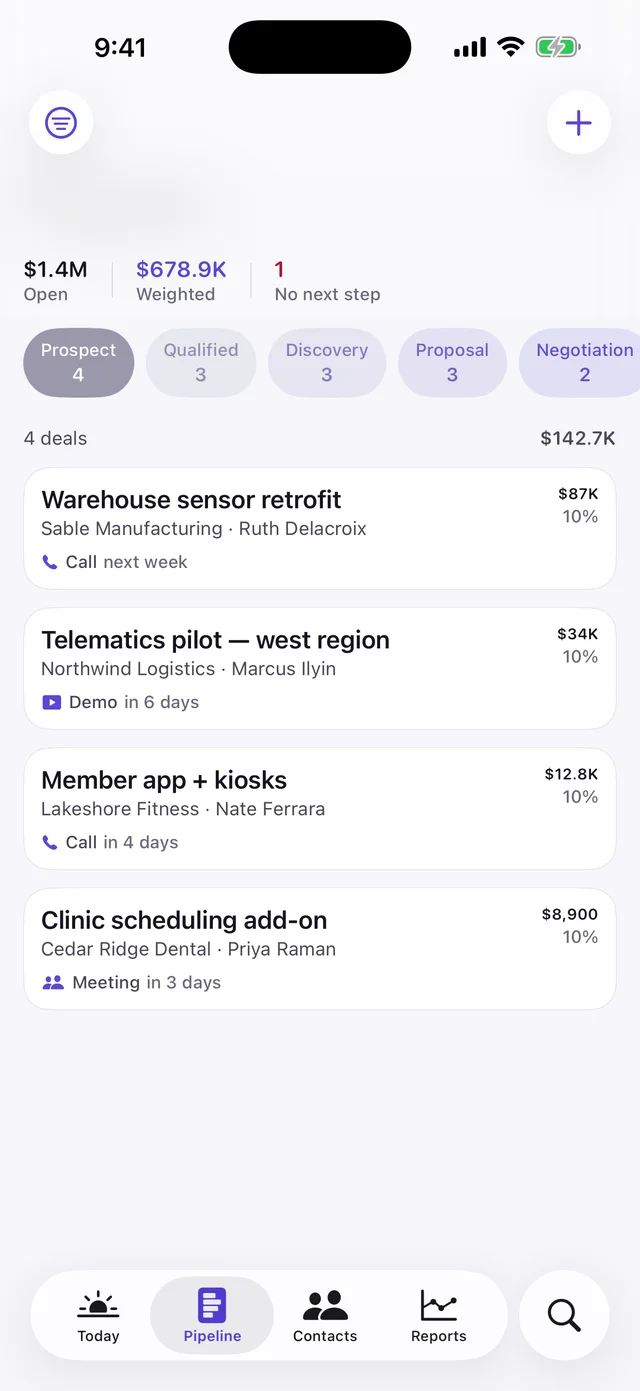
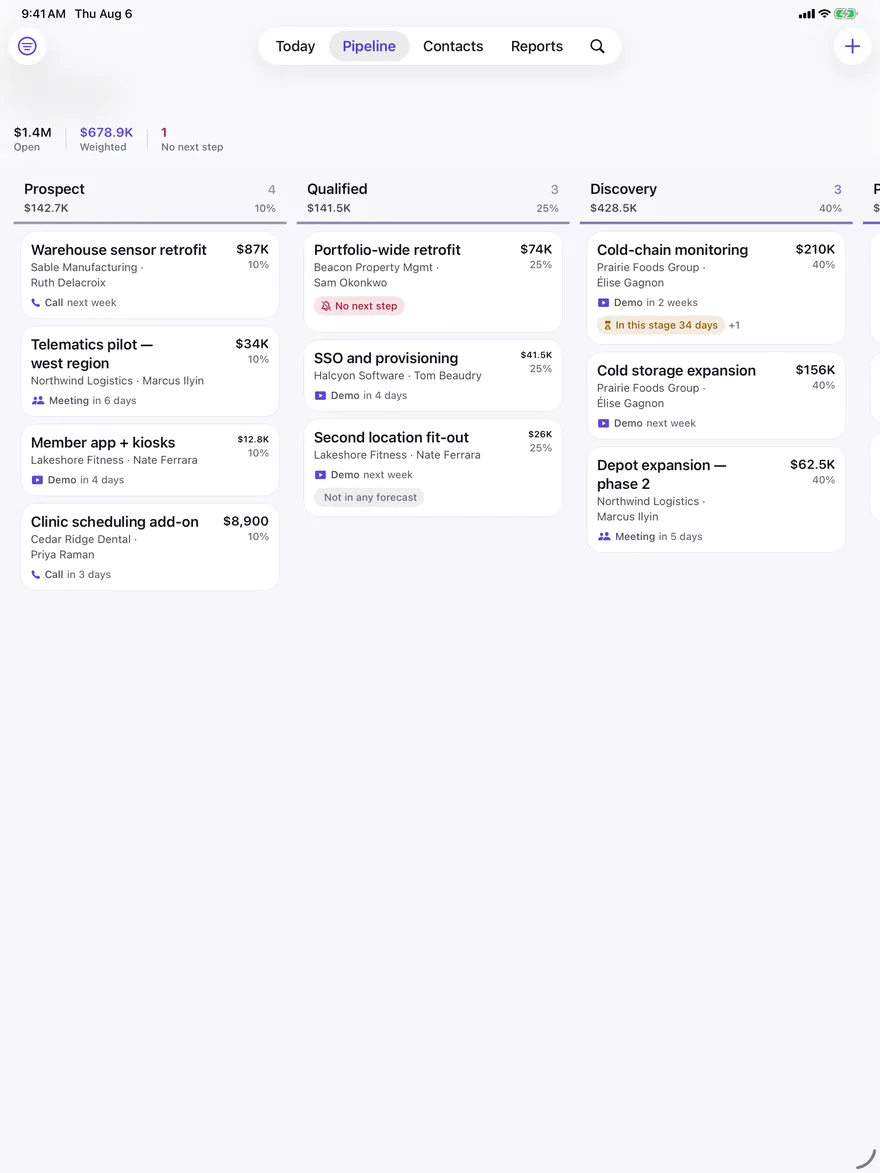
One stage fills the screen and you swipe between them. Full-width cards, tap to advance — no pinching at six columns of tiny boxes in a car park.
Logging that takes seconds
Pick a type, tap save. The subject is optional and so is everything else. A deal needs a name; nothing else is ever required.
Reporting that says something
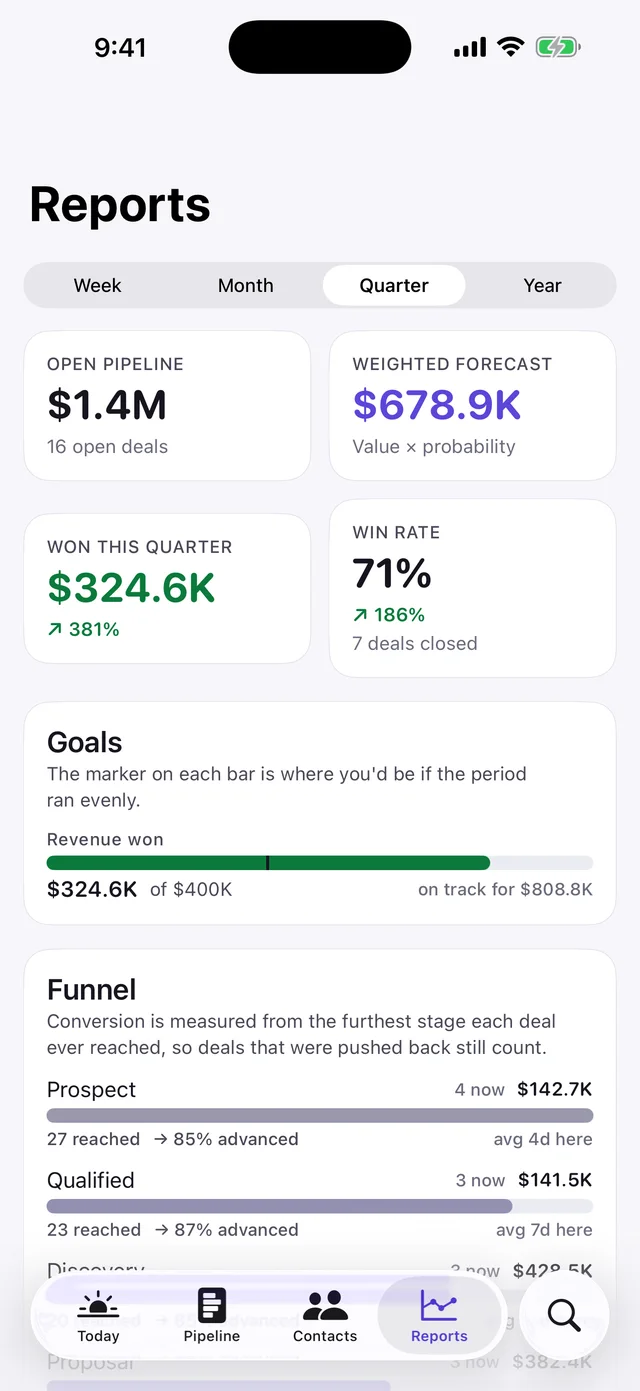
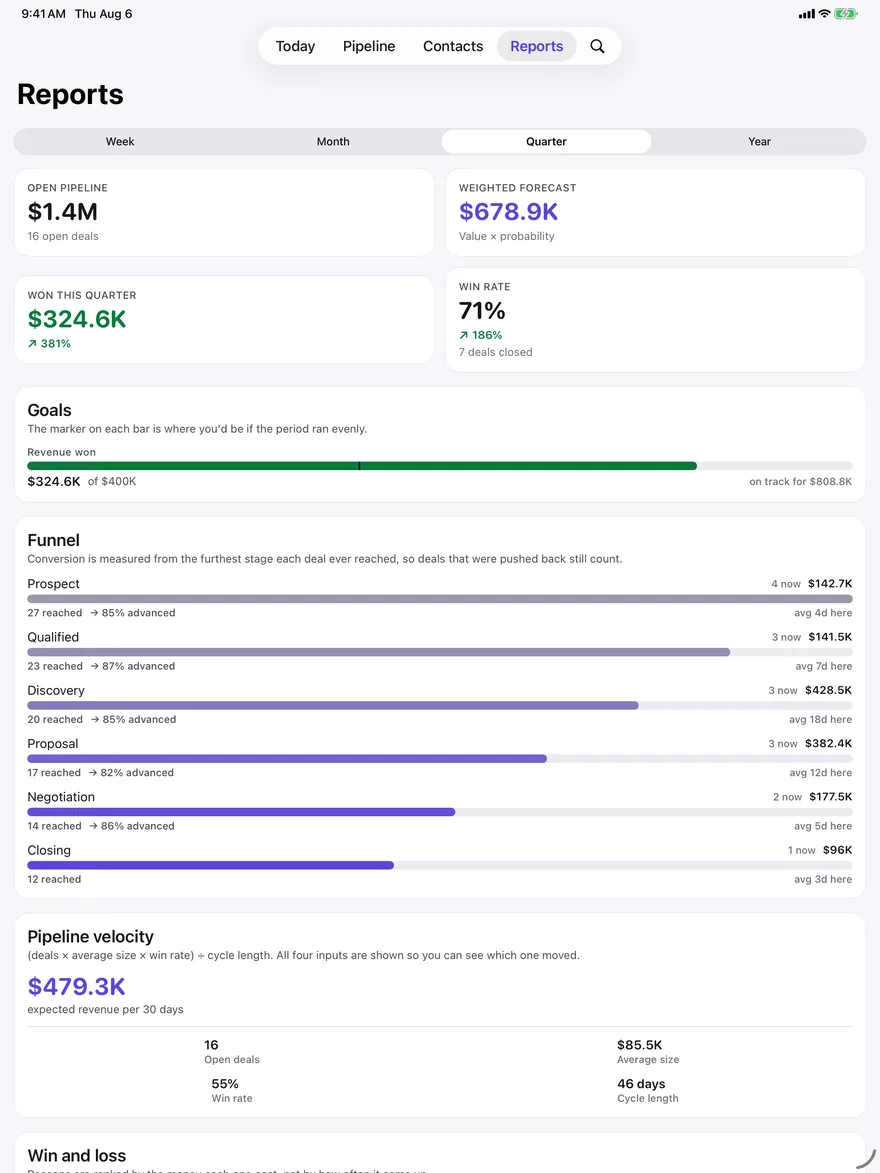
Win rate, sales velocity, a real conversion funnel, loss reasons ranked by what they cost you, and quota pace against the calendar.
Nothing goes quiet by accident
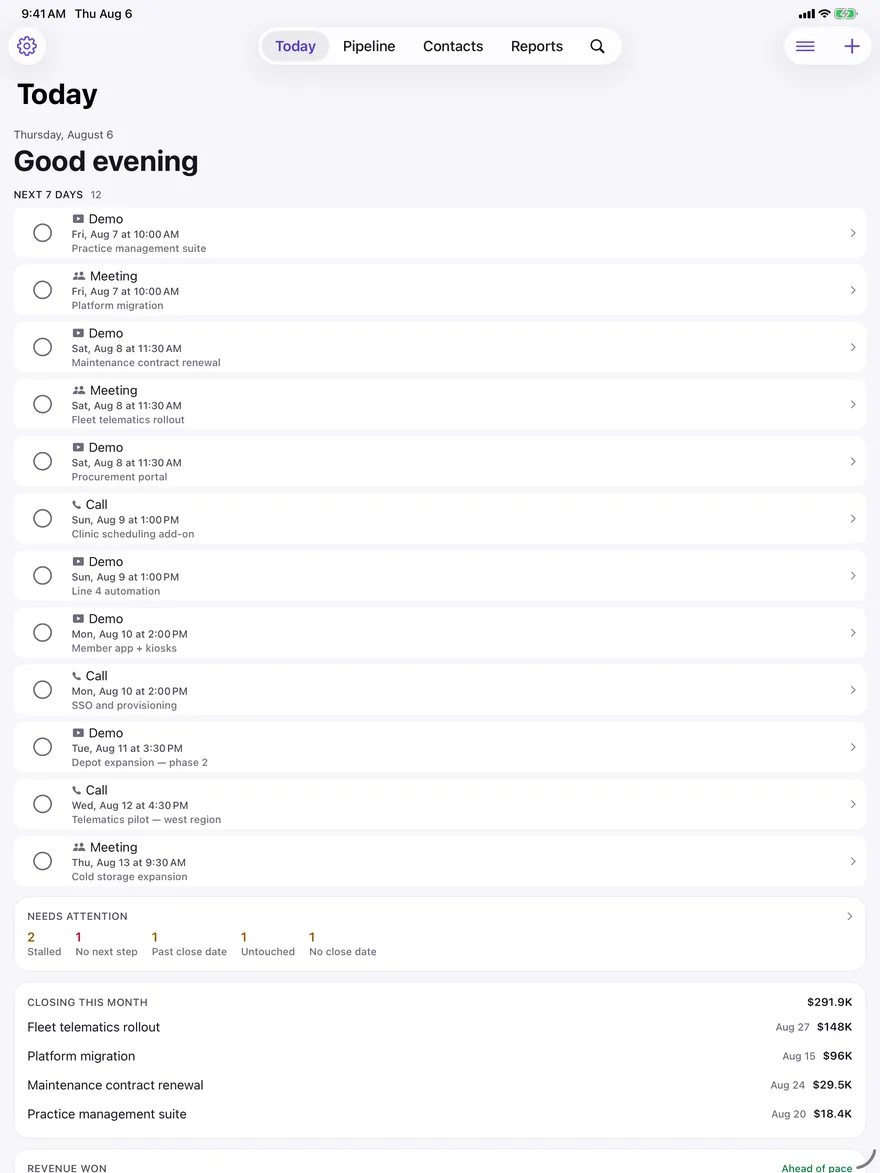
Every deal with no next step, sitting too long, or past its close date is surfaced on its own screen — with the fix one tap away.
Why most CRMs fail, in three numbers
Clinch was designed backwards from the research on why salespeople abandon the tools they are given. Every decision in the app traces to one of these.
The pattern behind all three is friction, not missing features. Reps describe it precisely: you finish a high-energy call, open the record, and face a form. So Clinch ships with the structure already built — six stages, sensible odds, a rule for how long a deal may sit — and asks for exactly one field when you create anything.
The one rule that keeps a pipeline alive
Every guide to pipeline management lands on the same instruction: make sure every deal has a next step. It is the single strongest predictor of whether a deal survives, and it is the first thing to slip in a busy week.
“No next step” is a permanent state
Not a report you have to remember to run. It is badged on the card, counted on Today, and listed on its own screen with a schedule button on every row.
Stages are buyer milestones
“Proposal” means the buyer has one — not that you did something. Each stage carries its own expected time in stage, and Clinch flags anything sitting past it.
Deals with no close date are visible
An open deal without an expected close can never appear in a forecast. Clinch treats that as a problem to surface, not a blank to ignore.
Untouched deals surface themselves
Nothing logged in a month gets flagged — measured from creation for new deals, so a deal you made yesterday is not scolded for being new.
Numbers you can check by hand
There is no model, no scoring and no inference anywhere in Clinch. Every figure is arithmetic, and the formula sits next to the result.
Pipeline velocity, broken out
(deals × average size × win rate) ÷ cycle length — with all four inputs shown, so when velocity moves you can see which one moved it.
A funnel built from history
Conversion is measured from the furthest stage each deal ever reached, so deals that were pushed back still count. Measuring current position alone reports a stage as converting at 100% simply because everything eventually left it.
Loss reasons ranked by money
Not by frequency. Ten small deals lost to “no budget” matter less than one large one lost to a competitor, and a frequency ranking hides exactly that.
Nothing is compared to a benchmark
Win rates run 40–50% transactional and 10–20% enterprise, so a fixed “good” number would be wrong for almost everyone. Clinch compares you only to your own previous period.
Your pipeline is not our data
A CRM holds who your customers are, what they pay and when you expect the money. Clinch has no server for any of it to sit on. There is nothing to breach and no terms that can change later.
- No Clinch account and no Clinch server — signing in with Apple is optional and only gives the app your name
- Sync, when you turn it on, runs entirely through your own private iCloud database
- Offline-first — the database on your phone is the source of truth, iCloud is only a mirror
- Contacts are read one at a time through the system picker, so Clinch never asks for your address book
- No analytics SDK, no advertising identifiers, no third-party code at all
- Everything exports to CSV whenever you want it — your data is never locked in
How it compares
Clinch is a personal CRM. If you need shared pipelines, seats and manager dashboards, one of the others below is the right answer — this table is about which job each tool is for.
| Tool | Built for | Works offline | Needs an account | AI features | Typical price |
|---|---|---|---|---|---|
| Clinch | One salesperson | Fully | No | None | Free |
| Pipedrive | Small teams | Partial | Yes | Yes | $14–49/user/mo |
| HubSpot Sales | Teams, marketing-led | Partial | Yes | Yes | Free tier, then $20+/mo |
| Attio | Ops-heavy teams | No | Yes | Yes | $29+/user/mo |
| A spreadsheet | Anyone, badly | Yes | No | None | Free |
Competitor positioning and pricing as published by each vendor at the time of writing, and subject to change.
Built the way iOS wants apps built
Native Swift and SwiftUI throughout, on iOS 26's Liquid Glass — not a web page in a wrapper.
Widgets and Siri
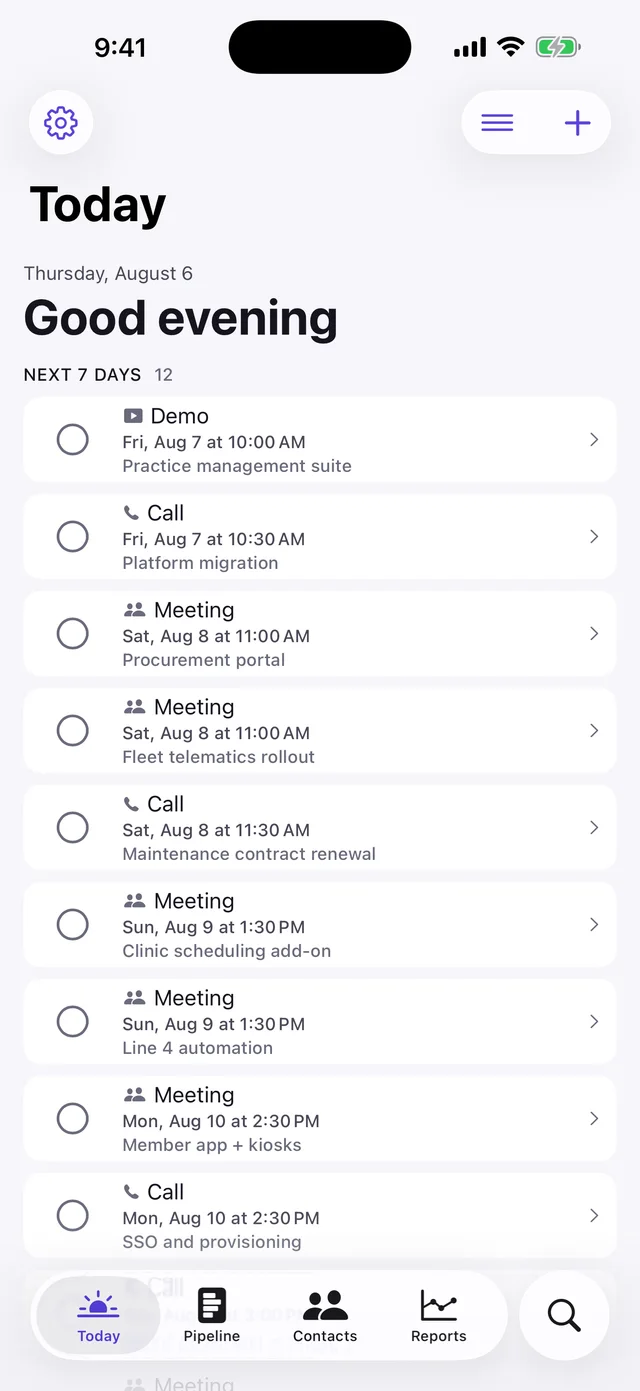
Open pipeline and today's activities on the Home and Lock Screen. “Check my pipeline”, “log a call”, “add a deal” — without opening the app.
Everything is tappable
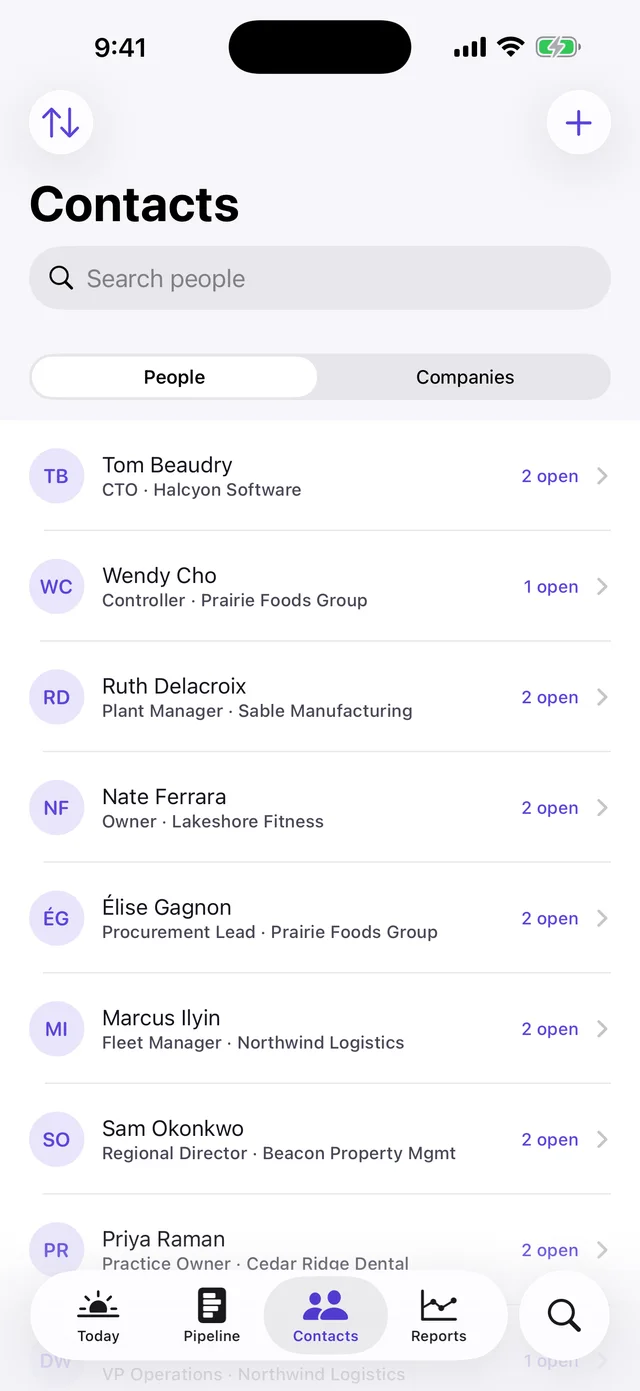
Call, text, FaceTime, email and directions go straight to the system apps. You should never have to copy a number out of a CRM.
Import from what you have
CSV exports from Pipedrive, HubSpot or a spreadsheet. Column names are matched loosely, and unreadable rows are listed rather than failing the file.
Multi-currency, decimal-exact
Money is stored as decimal, never floating point, so a pipeline total always equals the sum of its cards. To the cent.
Questions
Does Clinch use AI?
No — and not as a temporary position. There is no summarising, scoring, drafting or inference anywhere in it. Every number is arithmetic you could redo by hand, and the formula is printed next to the result.
Do I need an account?
No. Clinch opens straight into a working pipeline on first launch. Signing in with Apple is optional and only gives the app your name; iCloud sync is a separate switch in Settings that you can leave off forever.
Does it work offline?
Yes. The database on your phone is the source of truth and iCloud is only a mirror, so every feature works in a hospital basement, a warehouse or on a plane. Changes sync when you are back online.
Can I get my data out?
Yes — deals, people, companies and activities all export to standard CSV that opens in Numbers or Excel. A personal CRM that cannot hand your pipeline back has no business asking for a year of your work.
Is it a team CRM?
No. Clinch is deliberately single-user: it syncs across your own iPhone and iPad through your personal iCloud, but there are no shared pipelines, no seats and no manager dashboards. That is the trade that lets it stay this simple.
Is there an Android or web version?
No. Clinch is iOS-only on purpose — the widgets, Siri intents, system-app hand-off and iCloud sync it relies on are exactly what a cross-platform build cannot do well.